7 Best Free Video Editors in 2026: No Watermarks, AI Tools & Pro Features
If you’re a creator in 2026, the barrier between “amateur” and “pro” has officially vanished. You no longer need a $300/year subscription to Adobe to produce Hollywood-grade 4K content or viral TikToks.
Whether you’re editing a cinematic short film on a powerhouse PC or a quick Reel on your phone, the “Free” tier has never been more powerful. We’ve tested the top contenders to bring you the definitive list of the best free video editing software in 2026.
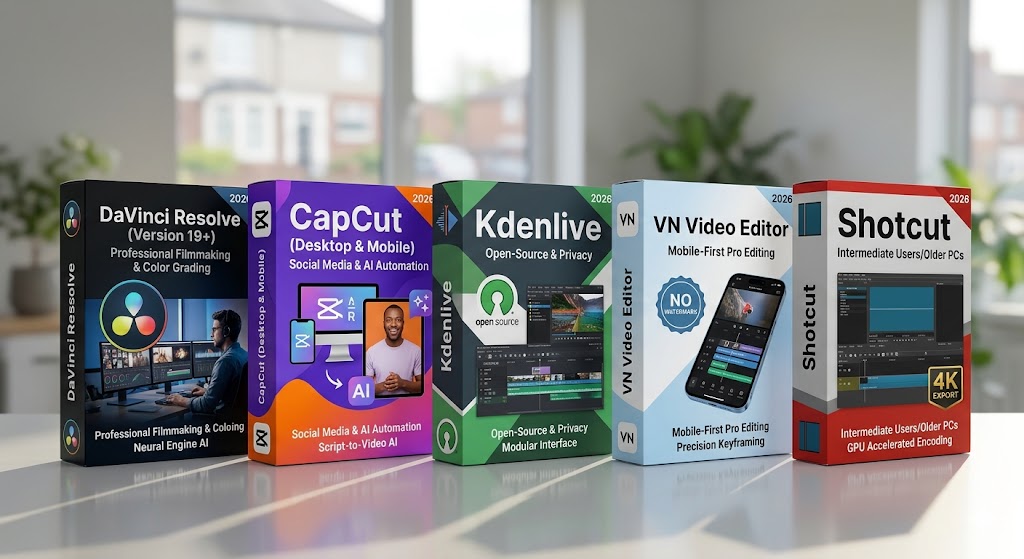
1. DaVinci Resolve (Version 19+)
Best For: Professional Filmmaking & Color Grading
Platform: Windows, macOS, Linux
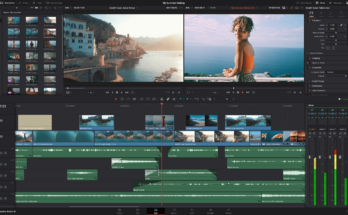
DaVinci Resolve remains the undisputed king of free desktop software. In 2026, its free version is so feature-rich that it’s almost confusing why it’s free.
-
Why it’s a winner: It offers industry-standard color correction and “Fairlight” audio tools that professionals use for actual movies.
-
2026 Standout Feature: Neural Engine AI. The free version now includes basic AI object removal and auto-captioning that used to be locked behind the Studio paywall.
-
The Catch: It requires a beefy computer (16GB RAM minimum) and has a steep learning curve.
2. CapCut (Desktop & Mobile)
Best For: Social Media Creators & AI Automation
Platform: Windows, macOS, iOS, Android, Web
CapCut has evolved from “that TikTok app” into a dominant cross-platform powerhouse. In 2026, the desktop version is the go-to for most YouTubers.
-
Why it’s a winner: It’s incredibly intuitive. You can go from raw footage to a polished video with trending transitions in minutes.
-
2026 Standout Feature: AI Script-to-Video. Type a prompt, and CapCut will pull stock footage, generate a voiceover, and sync captions automatically.
-
The Catch: While the core tools are free, some of the “Pro” AI effects require a subscription.
3. Kdenlive
Best For: Open-Source Fans & Privacy-Conscious Editors
Platform: Windows, macOS, Linux
For those who want zero corporate strings attached, Kdenlive is the strongest open-source contender this year.
-
Why it’s a winner: It’s completely free forever. No “Pro” versions, no sign-ups, and no watermarks.
-
2026 Standout Feature: Modular Interface. You can customize the entire layout to look exactly like Premiere Pro or Final Cut.
-
The Catch: It can be slightly less stable on Windows than its commercial competitors.
4. VN Video Editor (VlogNow)
Best For: Mobile-First Pro Editing (No Watermarks)
Platform: iOS, Android, macOS
VN is the “clean” alternative to CapCut. It offers a professional multi-track timeline on your phone without the aggressive “buy pro” pop-ups.
-
Why it’s a winner: It supports high-frame-rate 4K exports and doesn’t force a watermark on your final project.
-
2026 Standout Feature: Precision Keyframing. The mobile keyframing tools are remarkably smooth, allowing for custom animations on the go.
-
The Catch: Fewer “ready-made” templates compared to CapCut.
5. Shotcut
Best For: Intermediate Users on Older Hardware
Platform: Windows, macOS, Linux
If you have a laptop that’s a few years old and can’t handle DaVinci, Shotcut is your best friend.
-
Why it’s a winner: It’s lightweight but supports a massive range of formats (including ProRes and DNxHR).
-
2026 Standout Feature: GPU Accelerated Encoding. It utilizes your hardware efficiently to make 4K exports faster than most web-based tools.
Quick Comparison: Which should you choose?
| Software | Best For | Learning Curve | Watermark? |
| DaVinci Resolve | Cinematic Pro Work | High | No |
| CapCut | TikTok/Shorts/Reels | Low | Optional |
| VN Editor | Professional Mobile | Medium | No |
| Kdenlive | Open Source/Linux | Medium | No |
| Shotcut | Older PCs/Laptops | Medium | No |
3 Tips to Master Video Editing in 2026
-
Leverage Proxy Files: If your computer lags while editing 4K, use the “Proxy” feature found in DaVinci or Kdenlive. It creates low-res copies for editing and switches back to 4K for the final export.
-
AI Is a Tool, Not a Replacement: Use AI for captions and noise removal, but keep your “human touch” for the pacing and storytelling.
-
Optimize for Vertical: In 2026, 75% of video consumption is vertical. Always check how your edit looks in a 9:16 aspect ratio before hitting export.
The Verdict
If you want to become a professional filmmaker, start learning DaVinci Resolve today. If you want to grow a social media following quickly, CapCut is your best bet. Either way, in 2026, the only thing stopping you is your creativity—not your budget.